


Role-Based Access Control
Assign roles with specific permissions across the HR system.
Benefits:
 Quick role setup
- Digital records
- Easy tracking

Assign roles, manage permissions, and control system access for HR, admins, managers, and employees from one centralized HR platform.
Replace spreadsheets, emails, and manual access grants with one centralized system for managing user permissions.
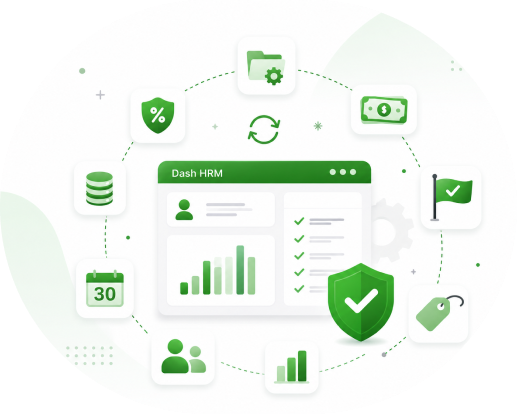
Assign roles digitally with permission level, scope, and supporting documents.
Route access requests through defined manager, department, or HR approval stages.
Track available, active, revoked, and pending user permissions.
Set flexible role types and rules based on employee groups and business needs.
Manage company, department, and role-based access schedules in one calendar.
View active roles, upcoming access reviews, and overlapping permissions at a glance.
Analyze role usage, permissions, trends, and department-wise access data.
Manual access management can lead to security risks, permission errors, delayed approvals, and limited visibility. Dash HRM brings these processes into one automated workflow.
Traditional user role management often involves:
 Spreadsheet access tracking
 Manual approvals
 Permission assignment errors
 Email follow-ups
 Limited access visibility
Organizations get:
Centralized access records Automated role workflows
 Accurate permission control
 Automated notifications
 Full access visibility
Dash HRM connects role and access data with other core HR processes so teams can manage employee information and workforce operations from one connected system.
Assign roles with specific permissions across the HR system.
Benefits:
Quick role setupDigital recordsEasy trackingKeep admins and managers updated with automated notifications.
Notifications for:
New access requestsApproval statusRejection updatesPending approvalsView role changes and access updates through an interactive calendar.
Admins can identify:
Recent role changesUpcoming access reviewsOverlapping permissionsThis helps prevent access conflicts.
Maintain complete records of user access activities.
Track:
Previous role changesApproval statusLogin historyPermission changesManage roles across multiple teams and departments.
HR managers can analyze:
Department access levelsEmployee permissionsRole trendsGenerate detailed reports for better security planning.
Reports include:
User access reportsMonthly role reportsDepartment access analysisPermission audit reportsAllow admins and managers to manage roles from anywhere.
Mobile features:
Assign rolesApprove accessCheck permissionsView access historyAdmins can attach supporting documents when required.
Examples:
Access approvalsPolicy documentsOfficial authorizationsSimplify role assignments, permissions, and access control with a smarter HR solution.
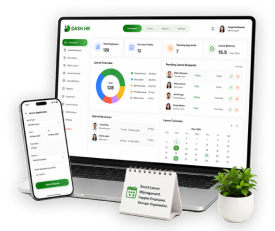
Give HR teams, admins, and managers secure access to role and permission information wherever they work.
Dash HR adapts to your industry's unique needs and helps you manage your workforce more efficiently.
User role management software is a digital HR solution that controls system access by assigning permissions to HR, admins, managers, payroll teams, and employees from one centralized platform.
Dash HRM lets you define roles with specific permissions, so each user only sees and manages the data relevant to their responsibilities.
Yes. You can configure different roles and access levels for different employee groups, departments, or locations based on your business requirements.
Yes. Dash HRM automatically logs role assignments, permission changes, and access history for every user, reducing manual errors and improving accountability.
Yes. Admins and HR teams can assign roles, update permissions, and review access from anywhere using web or mobile access.
Automate role assignments, permissions, and access reviews while giving admins and HR teams complete visibility into system access.